
APPLICATION PROCESS
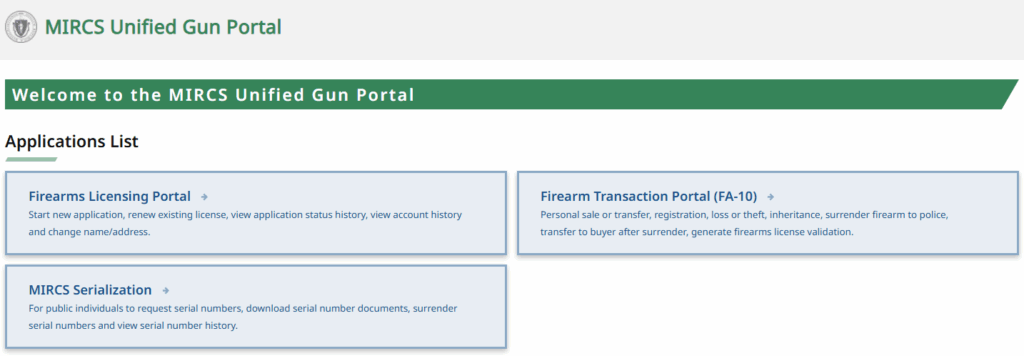
All applications are now submitted through the MIRCS UNIFIED GUN PORTAL. Follow the steps below to complete your application.
STEP 1: CREATE YOUR MIRCS ACCOUNT
If you do not already have an account with the MIRCS Unified Gun Portal, you must create one. Most firearms-relation transactions are now handled through this portal.
* * *⚠️ IMPORTANT NOTE ⚠️* * *
If you are an existing LTC holder, YOU MUST ENTER YOUR CURRENT LTC NUMBER WHEN CREATING YOUR ACCOUNT. If you do not include it, your license cannot be linked later, and you will not be able to access your information.
STEP 2: COMPLETE AND SUBMIT YOUR APPLICATION ONLINE
If you’re a new applicant, you’ll need to upload a photo of your Basic Firearms Safety course certificate
STEP 3: AFTER SUBMITTING YOUR APPLICATION…
NEW APPLICANTS: You will be contacted by the Firearms Licensing supervisor to schedule an appointment for fingerprinting. Payment will be collected as part of this process if you’re paying by check.
RENEWAL APPLICANTS: No appointment required. Proceed directly to payment.
STEP 4: SUBMIT PAYMENT
Your application will not be processed until payment is received. The LTC/FID application fee (non-refundable) is $100. There is no fee for renewal applicants over the age of 70. Please refer to the FAQ page for more information about fees.
PAYMENT OPTIONS:
BY CHECK: Remit payment in person via check, made payable to the Town of Northborough
💻 ONLINE (NEW): You may now pay online through the Town of Northborough’s website here.